Hey there, tech-savvy iPhone user!
We all know how annoying it can be when your iPhone screen is covered in smudges and fingerprints.
But fear not, because in this discussion, we’re going to dive into some handy maintenance tips that will keep your iPhone screen looking pristine.
From simple cleaning techniques to advanced methods, we’ve got you covered.
So, get ready to say goodbye to those pesky smudges and hello to a crystal-clear screen.
Regular Cleaning Techniques
To keep your iPhone screen looking pristine, regularly clean it using simple yet effective techniques.
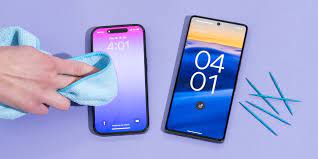
One of the best ways to clean your iPhone screen is to use a microfiber cloth. This soft and gentle cloth is perfect for removing smudges, fingerprints, and dirt without scratching the screen. Simply wipe the cloth across the screen in gentle, circular motions until it’s clean.
Another effective technique is to use a mixture of water and isopropyl alcohol. Fill a spray bottle with equal parts water and isopropyl alcohol, then lightly mist the solution onto the screen. Use a microfiber cloth to wipe away the dirt and grime. Be sure to avoid getting any liquid into the openings of your iPhone.
If you prefer a pre-made cleaning solution, there are many options available specifically designed for electronic screens. Just follow the instructions on the bottle and use a microfiber cloth for best results.
Remember to clean your iPhone screen regularly to maintain its pristine appearance and functionality.
Using Microfiber Cloth
For an effective and scratch-free cleaning method, grab a microfiber cloth to maintain the pristine appearance of your iPhone screen. Unlike other materials, microfiber cloths are designed to attract and trap dirt, dust, and fingerprints without leaving any residue behind. Their soft and gentle texture ensures that your screen remains unharmed during the cleaning process.
To clean your iPhone screen with a microfiber cloth, start by turning off your device to avoid any accidental touches. Gently wipe the screen in a circular motion, applying light pressure. Avoid using excessive force as it can damage the screen or push dirt into the edges. Remember to clean the entire surface, including the corners and edges.
If you notice stubborn marks or smudges, slightly dampen the cloth with distilled water or a screen-cleaning solution specifically designed for electronics. Be cautious not to let any liquid seep into the device’s openings. Always spray the solution onto the cloth first, rather than directly onto the screen.
After cleaning, inspect the screen for any remaining dirt or streaks. If necessary, repeat the process until your screen is spotless. Regularly clean your microfiber cloth to ensure optimal performance and longevity.
Safe Cleaning Solutions
Use a screen-cleaning solution specifically designed for electronics to safely remove stubborn marks or smudges from your iPhone screen. Generic household cleaners may contain harsh chemicals that can damage the sensitive surface of your device. When choosing a cleaning solution, look for one that’s alcohol-free and specifically formulated for electronic screens. These solutions are designed to effectively clean your iPhone screen without causing any harm.
To clean your iPhone screen using a safe cleaning solution, start by turning off your device and unplugging it from any power source. Apply a small amount of the cleaning solution to a microfiber cloth, ensuring that it isn’t dripping wet. Gently wipe the cloth across the screen in a circular motion, being careful not to apply too much pressure. Pay attention to areas with stubborn marks or smudges, and gently rub them until they’re removed.
After cleaning your iPhone screen, make sure to let it dry completely before turning it back on. This will help prevent any moisture from damaging the internal components of your device. Additionally, avoid using excessive amounts of the cleaning solution, as this can also lead to moisture seeping into your device.
Avoiding Damaging Substances
Be cautious of substances that can cause damage to your iPhone screen. While it’s important to keep your screen clean, it’s equally important to avoid using substances that can harm it.
Certain chemicals and materials can scratch or discolor your screen, leading to permanent damage. One substance to be cautious of is ammonia-based cleaners. These can strip away the protective coating on your screen, leaving it vulnerable to scratches and smudges.
Additionally, avoid using abrasive materials like paper towels or rough cloths. These can leave tiny scratches on your screen, which can accumulate over time and affect its overall clarity.
Another substance to avoid is alcohol-based cleaners. While alcohol can be effective in removing grease and fingerprints, it can also damage the oleophobic coating on your screen, which helps repel oils and smudges.
Instead, opt for a microfiber cloth or a screen cleaning solution specifically designed for electronic devices. These are gentle enough to clean your screen without causing any damage.
Advanced Cleaning Methods
When it comes to maintaining your iPhone screen, it’s important to take your cleaning routine to the next level with advanced methods. While basic cleaning techniques are helpful, advanced methods can provide a deeper and more thorough clean.
One advanced method is to use a microfiber cloth dampened with water or a specialized screen cleaning solution. This will effectively remove smudges, fingerprints, and dirt from your iPhone screen. Gently wipe the screen in a circular motion, being careful not to apply too much pressure.
Another advanced cleaning method is using compressed air. This can be especially useful for removing dust and debris from the tiny crevices and edges of your iPhone screen. Hold the can of compressed air upright and use short bursts to blow away any particles. Be sure to hold the can at a safe distance from your device to avoid causing any damage.
Additionally, some people find that using a screen protector can help keep their iPhone screen clean. A screen protector acts as a barrier, preventing fingerprints and smudges from directly touching the screen. It’s important to choose a high-quality screen protector that’s compatible with your iPhone model.
Frequently Asked Questions
Can I Use a Regular Cloth or Tissue Paper to Clean My Iphone Screen?
You shouldn’t use a regular cloth or tissue paper to clean your iPhone screen. They can scratch or damage it. Instead, use a microfiber cloth or a screen-cleaning solution specifically made for electronics.
Is It Safe to Use Alcohol-Based Cleaning Solutions on My Iphone Screen?
Yes, it’s safe to use alcohol-based cleaning solutions on your iPhone screen. They effectively remove fingerprints and smudges without causing damage. Just make sure to apply the solution to a microfiber cloth first.
What Are Some Common Substances That Can Damage My Iphone Screen?
Some common substances that can damage your iPhone screen include abrasive materials like sand, sharp objects like keys, and harsh chemicals like bleach. It’s important to avoid contact with these to maintain screen integrity.
How Often Should I Clean My Iphone Screen?
You should clean your iPhone screen regularly to maintain its clarity and prevent smudges. Wiping it with a microfiber cloth once a week is sufficient for removing fingerprints and dirt.
Are There Any Special Cleaning Techniques for Removing Stubborn Stains or Fingerprints on the Iphone Screen?
To remove stubborn stains or fingerprints from your iPhone screen, try using a microfiber cloth and a small amount of water or screen cleaner. Gently wipe the screen in circular motions for best results.
Conclusion
In conclusion, maintaining a clean iPhone screen is important for optimal performance and visual clarity. By regularly cleaning it with a microfiber cloth and using safe cleaning solutions, you can ensure a spotless and scratch-free screen.
It’s also crucial to avoid damaging substances that can harm the screen. If needed, you can use advanced cleaning methods to tackle stubborn dirt or smudges.
Keep your iPhone screen clean and enjoy a seamless user experience.